Drowning in notifications
Most desktop environments (KDE, GNOME, Xfce etc) support notifications. Implementations are based on Desktop Notifications Specification.
If you are using a stand-alone window manager (like Hyprland or Sway) instead of a desktop environment, you can still use notifications. You just need a notification daemon such as Dunst, Fnott, SwayNotificationCenter etc. You might already have one installed and running.
automation tasks. It could be: backing up files with rsync or scp, transcoding media with FFmpeg, or bulk resizing images with ImageMagick.
Install
To send notifications from a script, you need the libnotify package.
Ubuntu/Debian
sudo apt install libnotify-bin
Arch Linux
sudo pacman -Sy libnotify
Usage
Simple
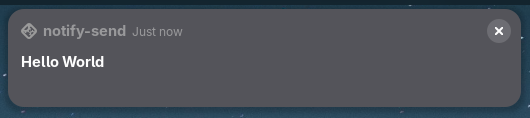
To send a notification, all you have to do is run notify-send.
notify-send "Hello World"
Exactly what the notification looks like depend on desktop environment or notification daemon. I run GNOME, so for me, it looks like this.
Body
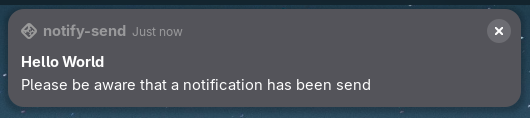
Notifications can also have a body.
notify-send "Hello World" "Please be aware that a notification has been send"
Markup
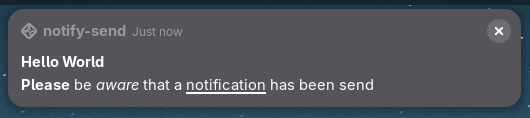
A limited set of HTML style markup can be used.
notify-send "hello world" '<b>please</b> be <i>aware</i> that a <u>notification</u> has been send'
| Tag | Description |
|---|---|
<b></b> | Bold |
<i></i> | Italic |
<u></u> | Underline |
<a href="..."></a> | Link |
<img src="..."/> | Image |
Urgency
You can also set the urgency of a notification.
notify-send -u critical "Important" "Something critically important"
It might not immediately look any different from a normal notification. But setting urgency can alter the behavior. For instance, a critical notification is always shown in GNOME, even when “Do Not Disturb” is on.
Icon
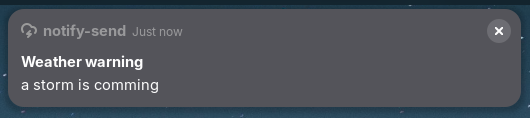
An icon can be set.
notify-send -u critical -i /usr/share/icons/Adwaita/symbolic/status/weather-storm-symbolic.svg "Weather warning" "a storm is comming"
Other
Check out the man page for other options.
man notify-send
Note that not all options are implemented in all notification daemons.